Ai Landscape Design Free: Tools to Transform Your Yard
- Akhilesh Joshi
- 1 day ago
- 13 min read

Yes, you absolutely can get stunning ai landscape design free of charge. Modern tools can take a simple photo of your yard and, in minutes, spit out dozens of completely new concepts. It’s a powerful, no-cost way to finally visualize your property’s true potential, letting you test-drive different styles on your actual home before you commit to a single shovel of dirt.
Visualize Your Dream Yard Instantly with Free AI
Ever find yourself staring at your backyard, wishing you could just see what it could become without shelling out for an expensive designer? That’s exactly what free AI landscape design tools let you do, using a photo of your own yard as the starting point. The whole idea is brilliantly simple: you snap a picture of your current yard, and the AI acts like your personal digital landscaper, generating brand-new designs almost instantly.
This completely takes the guesswork out of landscaping. Instead of just imagining how a modern garden or a rustic stone patio might look, you can see it rendered right onto a photo of your own space. It’s the ultimate "try before you buy" for your home’s exterior. For any homeowner, this is a total game-changer for brainstorming and discovering cool possibilities you might never have thought of on your own, all visualized directly on your property.
How The Free Design Process Works
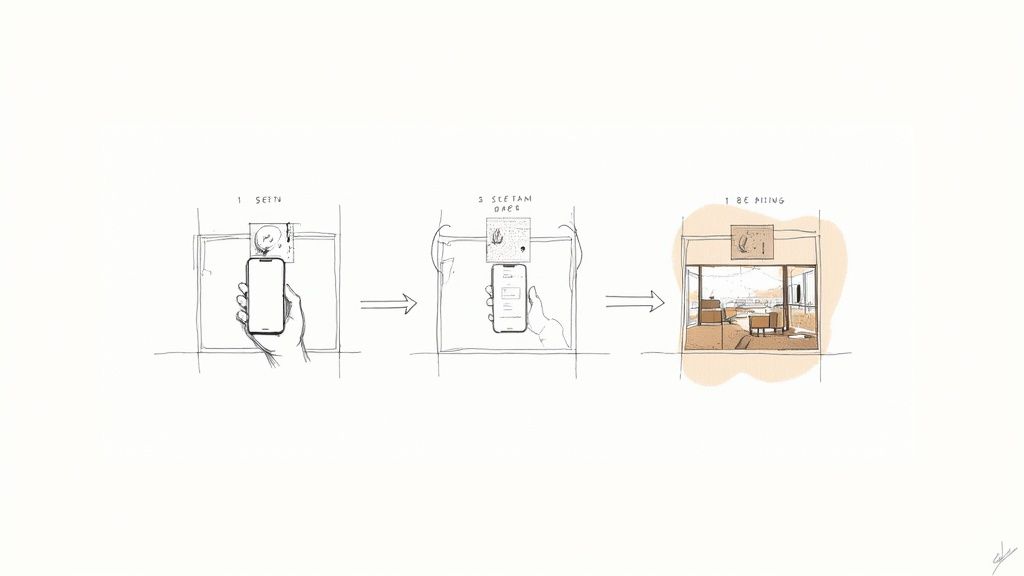
The journey from a plain photo of your yard to a professional-looking concept is refreshingly straightforward. The diagram below really breaks it down into three simple steps: upload your photo, let the AI work its magic, and then check out the results.
As you can see, the technology is incredibly accessible. All you need is a photo of your own yard to start dreaming up ideas for your outdoor space.
The real power of free AI landscape design lies in its ability to bridge the gap between imagination and reality. By applying professional design styles directly to a photo of your yard, it makes ambitious landscaping goals feel achievable and concrete.
To get your creativity flowing, you can browse some inspiring front yard ideas and then use a free AI tool to see how they might look on your own property by uploading a picture.
Now, while these tools provide incredible visual inspiration, it's important to have the right expectations. Let’s take a look at what you typically get for free versus what a paid plan might offer.
Free vs Paid AI Landscape Design Features at a Glance
Feature | Typical Free Offering | Typical Paid Upgrade |
|---|---|---|
Number of Designs | Limited (e.g., 5-10 per day) | Unlimited or a very high number of designs |
Image Quality | Standard resolution, sometimes with a watermark | High-resolution, watermark-free images suitable for sharing or printing |
Design Styles | A basic selection of popular styles | Full access to an extensive library of styles, plants, and materials |
Customization | Limited or no ability to tweak generated designs | Advanced editing tools, text prompts to guide AI, ability to specify plant types |
AR Visualization | May not be included | Tools to view your new design in Augmented Reality right in your own yard |
Commercial Use | Strictly for personal, non-commercial use | License to use designs for professional or commercial projects |
Support | Community forums or basic FAQ | Priority customer support |
The "free" versions are fantastic for figuring out your preferred aesthetic by applying styles to a photo of your yard, but as the table shows, they often come with limitations like a cap on daily designs or watermarked images. You can see how this plays out in our guide on the best free garden landscape design app for iPad and iPhone.
Ultimately, free tools are the perfect starting point for any homeowner looking to make confident, informed decisions before breaking ground.
Ever wonder how a free AI landscape design tool can look at a simple photo of your yard and spit out a gorgeous new concept? It's not really magic, but it sure feels like it. Think of it as having a super-fast digital artist on call, one who already knows what makes a landscape look great.
The whole thing kicks off the second you upload a picture of your own yard. The AI immediately puts on its detective hat, scanning every detail to figure out what it's looking at. It maps out the lawn, the patio, fences, and any trees you already have. It even takes note of your house's architectural style. This creates a digital blueprint of your specific space, giving the AI a personalized canvas to work on.
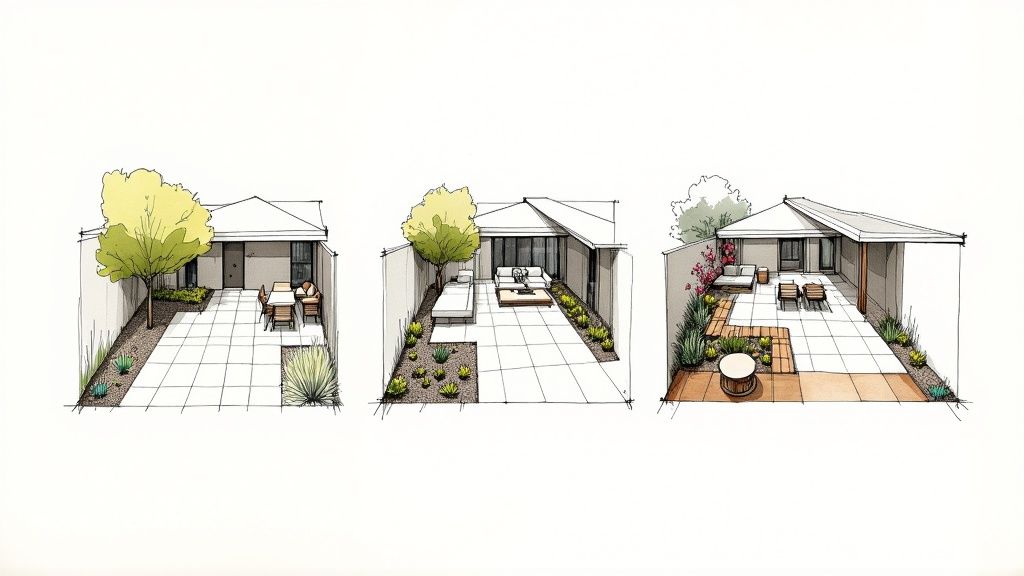
From Smart Scan to Creative Spark
Once the AI has the lay of the land from your photo, the fun part begins. This is where you get to steer the ship. You’ll typically pick a style from a list of options, and that choice becomes the AI's creative brief for redesigning your space.
Let's say you're dreaming of an 'English Cottage' vibe. The AI instantly taps into a massive visual library linked to that style. It knows this look calls for specific elements and starts "painting" them into your photo:
Lush, overflowing flower beds: It might add vibrant perennials and climbing roses along your foundation or fence lines.
Winding stone pathways: That straight concrete walk could be replaced with a charming, curved flagstone path.
Natural materials: The new design will probably lean into wood, stone, and classic greenery, steering clear of anything too modern.
But what if you choose 'Desert Modern' instead? The AI pulls from a totally different playbook, applying it to your yard. Out go the roses and in come drought-tolerant succulents, wispy ornamental grasses, and clean, minimalist hardscaping. It intelligently layers these new features right onto your original photo, blending everything together for a surprisingly realistic preview. If you want to get into the nitty-gritty, we've got a whole guide on how to create a landscape design using a photo of your front or backyard.
At its heart, the AI is a visual translator. It takes your abstract idea (like "Modern") and translates it into tangible design elements (clean lines, minimalist plantings, sleek pavers) that are perfectly scaled to your actual yard.
This whole process is a game-changer. It strips away all the guesswork and gives you a clear, exciting starting point for what your property could become. You get a personalized vision that feels both inspiring and totally achievable, all from one photo and a couple of clicks.
Your Step-by-Step Guide to a Free AI Yard Design
So, how do you actually turn that picture of your yard into a wellspring of new ideas? It's much simpler than you might think. The whole process really boils down to giving the AI a good starting point—a clear photo of your own space.
Let's walk through the practical steps to make sure the AI has exactly what it needs to generate designs you’ll actually love. Think of it less like a technical process and more like giving an artist a clean canvas; the better the canvas, the more beautiful the painting.
Step 1: Capture the Perfect "Before" Photo
This is where it all begins, and honestly, it's the most important part of visualizing a new design on your own property. You don't need to be a professional photographer, but a little bit of prep work makes a huge difference in how well the AI "sees" your yard.
Find the Best Light: Try to snap your picture on an overcast day. If not, the "golden hours" of early morning or late afternoon work wonders. This helps you avoid the harsh shadows and blinding glare that can really confuse the software.
Clear the Clutter: You don’t need to do a full-blown yard cleanup, but moving temporary stuff like kids' toys, gardening tools, or a stray hose helps a ton. This lets the AI focus on the permanent fixtures—your lawn, patio, and existing trees.
Choose a Smart Angle: Stand back and try to get as much of the area in the frame as you can. A slightly elevated view, maybe from your deck or an upstairs window, often gives a great, comprehensive perspective that's perfect for redesigns.
Step 2: Upload and Define Your Design Area
Got your photo? Great. Now it's time to upload it to the tool. Most free AI landscape design apps make this part pretty straightforward. Once uploaded, you'll usually be asked to point out the specific part of the photo you want to reimagine.
This is a key moment because you're telling the AI exactly where to work its magic on the image of your yard. You’ll use a simple brush or selection tool to highlight the area—whether it's your entire front lawn, a sad-looking flower bed, or that empty patch by the patio. This precision is what keeps the new designs contained right where you want them.
If you want a more detailed look at this, our guide on the DIY landscape design process with DreamzAR breaks it down even further.
The image below gives you a peek at this stage in action. You can see how a user has uploaded a photo and is marking out the yard for its transformation.
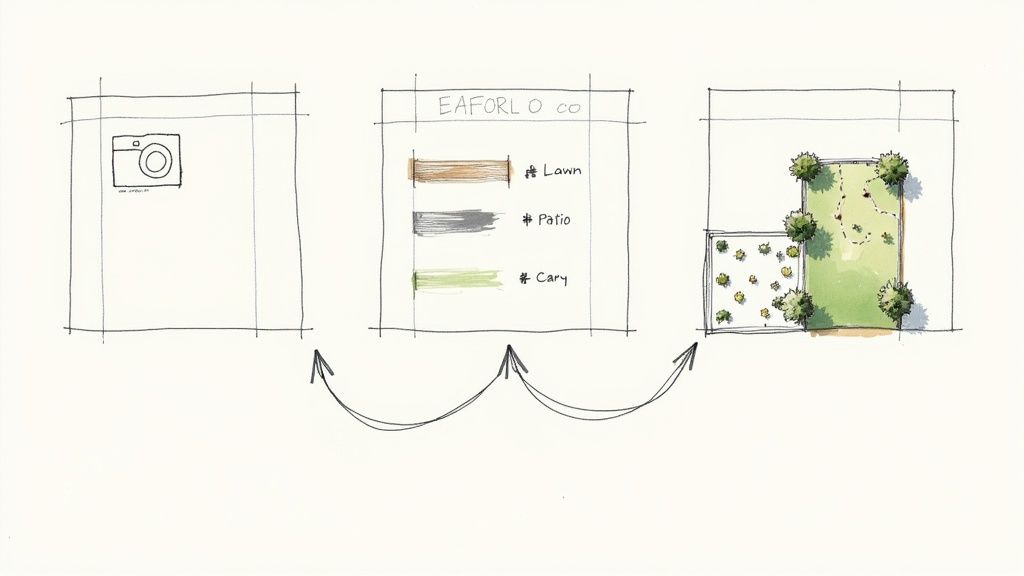
This visual shows how the tool cleanly separates the yard from the house, creating a blank slate for the AI to start dreaming up new possibilities based on your photo.
Step 3: Select Styles and Generate Variations
Okay, this is the fun part. This is where your vision really starts to take shape on the picture of your own property. Free tools typically offer a curated list of popular landscape styles to get you started. You'll likely see options like:
Modern
Tropical
English Cottage
Desert Xeriscape
Japanese Zen
Pick a style that catches your eye and hit "generate." But don't just stop at one! The real beauty of using free AI landscape design is the power to rapidly cycle through different looks on your own yard without any commitment.
Remember, each design is just a new idea. Generate a handful of variations for every style you're curious about. You might be surprised to find that a 'Modern' design with its clean lines looks way better than you thought on your home, or that an 'English Cottage' vibe brings a charm you never considered.
By generating a bunch of options, you're essentially building a personal inspiration board filled with tangible possibilities, all based on your actual yard. It’s the quickest way I know to go from feeling stuck to having a clear, exciting vision for your home.
So, What's the Catch with Free AI Landscape Tools?
Getting to play around with a free AI landscape design tool feels almost too good to be true, and in a way, it is. It's important to know that these free versions, while amazing for sparking ideas by transforming a photo of your yard, operate with a few guardrails. The best way to think of them is like a generous "free sample" from a high-end deli—you get a fantastic taste, but not the whole meal.
Instead of seeing these limits as a roadblock, I encourage you to think of them as a fair trade. You're getting access to some seriously powerful visualization tech without spending a dime. The constraints are there to give you a real sense of what's possible and get your creative wheels turning.
A Peek Behind the "Freemium" Curtain
This whole setup is part of a classic "freemium" business model. Companies give away a valuable, functional version of their tool to everyone, knowing that a certain number of people will love it so much they'll upgrade for the full experience. It's a huge part of the AI software world, which is on track to become a $257.4 billion market by 2025. It's a proven strategy—typically, conversion rates from free to paid users hover around 1–5%, which shows how a solid free offering can build a community that supports the platform's long-term growth.
This model is great for you because it completely removes the risk. You get to upload a photo of your own yard, play with different styles, and figure out what you like, all before you even think about opening your wallet.
The Usual Suspects: Common Limitations
When you're using a free tool, you'll probably bump into a few common limitations. If you know what to expect, you can work with them and still get a ton of value.
Here's what you'll typically see:
Daily Design Limits: Most free versions will cap how many designs you can create each day. This helps them manage server costs on their end, but it also has a nice side effect of making you a little more thoughtful with each generation.
Watermarked Images: Those gorgeous designs you create using a photo of your home? They'll likely have the company's logo on them. The watermark is usually removed once you subscribe.
A Taste of the Style Library: You'll get a great selection of popular design styles to experiment with on your yard, but the full catalog—with all the niche, specialized, and unique aesthetics—is usually kept for paying members.
Don't think of these limits as a way to frustrate you. They're just there to draw a clear line between the inspirational "what if" stage (free) and the detailed, project-ready planning stage (paid).
At the end of the day, these free tools are perfectly built for what they're meant to do: kickstarting your brainstorming and helping you discover your personal style. If you want to dig deeper into what makes a great tool, check out our guide on finding the best landscape design software for your yard.
Turning Your AI Design Into a Real-World Project
Okay, you’ve played around with the AI, generated a bunch of different looks using photos of your yard, and finally—there it is. The one. The design concept for your yard that you absolutely love. This is where the real fun begins, moving that digital dream off your screen and into the real world.
Those images you created are so much more than just pretty pictures. Think of them as your secret weapon for clear communication.
Armed with these visuals of your own yard, you can finally bridge that frustrating gap between the idea in your head and what a contractor understands. Instead of fumbling with words like, "I want something modern, but with, you know, some soft plants," you can just show them the AI-generated picture of your property. It’s an instant, visual brief that gets everyone on the same page from day one.
Taking Your Vision to the Professionals
Showing up to an initial consultation with a visual plan in hand is a game-changer. It can seriously speed up the whole process, which is a big deal in today's market.
The landscape design industry was pegged at around $9.3 billion for 2025. And while 73% of landscape pros believe digital tools are important for their future, only about 17% have actually started using AI. This means your AI-generated image of your own yard is a fantastic blueprint for a professional who might not be using this tech yet. You can read more about the landscape design market if you're curious about the industry trends.
Your AI design essentially kickstarts the creative process. It gives a professional a solid foundation to build upon, letting them refine your ideas with all the practical stuff—drainage, local plant suitability, and boring-but-important building codes.
Knowing When to Upgrade or Hire Out
As you move from a cool concept to actually planning the work, you might start bumping up against the limits of a free tool. This is a totally normal point to pause and figure out what’s next.
When to Upgrade to a Paid AI Tool: If you’re finding you need higher-resolution images of your yard to share, want to get rid of watermarks, or wish you had more specific design controls (like adding a certain type of paver), then upgrading to a paid plan is the logical next move.
When to Hire a Professional: If your project involves the heavy-duty stuff—major grading changes, irrigation systems, retaining walls, or any kind of complex electrical work—it’s time to call in a pro. No question.
Your AI design is the 'what'—the visual goal. A professional landscaper provides the 'how'—the technical know-how, project management, and hands-on skill to build it right and keep it safe.
Once the AI has done its magic, turning that virtual concept into a real-life yard involves a whole new level of planning, cost estimates, and project management. For anyone serious about getting the job done or just curious about what the pros use, it’s worth it to explore professional landscaping software options to see the full picture of what it takes to bring a design to life.
Common Questions About Free AI Landscape Design
Diving into the world of AI landscape design free tools can definitely bring up a few questions. It’s only natural to wonder about the details before you start uploading photos of your home. Let's tackle some of the most common queries to get you started with total confidence.
My goal here is to clear up the process so you can focus on the fun part: seeing what your yard is truly capable of when visualized with AI.
Can I Use a Photo of My Current Messy Yard?
Absolutely! In fact, that's exactly what these tools are for. They exist to help you see the incredible potential hiding right under your nose, by applying new designs to a photo of your actual space. The AI is smart enough to focus on the permanent stuff—your lawn, house, patio, and trees.
For the best results, though, a little prep goes a long way. Try snapping your photo on a clear day with good, even lighting. While the AI can see past a few imperfections, moving temporary clutter like toys, a grill, or garden hoses helps it get a much cleaner read on your yard's true layout. This gives it a better canvas to work with.
Are the AI-Suggested Plants Right for My Climate?
This is a fantastic question and gets right to the heart of how to use these tools effectively. Most free AI landscape designers are built for visual inspiration, not horticultural accuracy. Think of them as stylists, not botanists—they're masters at creating beautiful compositions on a photo of your yard based on themes like "Modern" or "Tropical."
What they don't do is cross-reference those suggestions with your local climate zone, soil type, or how much sun a particular spot gets. The best way to use the AI-generated images is as a high-tech concept board.
Think of the AI design as a visual blueprint. Use its ideas for plant shapes, colors, and arrangements as your guide. Then, take that image of your yard to a local nursery or chat with a gardening expert to find native or climate-appropriate plants that will thrive in your yard while creating a similar look and feel.
This two-step approach is brilliant. You get the creative firepower of AI combined with practical, real-world expertise for a yard that's both beautiful and sustainable.
What Happens to the Yard Photos I Upload?
Privacy is a big deal, and it’s always smart to check the privacy policy of any app you use. Reputable services are completely upfront about how they handle your data.
Generally, your yard photos are used for two main reasons:
To Generate Your Design: Your picture is the raw material the AI needs to cook up your landscape concepts.
To Improve the AI: Your photo might be used—always anonymized—to help train the AI model, making it smarter and more accurate for everyone.
A trustworthy service will never share or sell your identifiable photos or personal information without your direct permission. As a good rule of thumb, try to avoid capturing license plates, house numbers, or other sensitive details when you're taking pictures of your yard.
How Specific Can I Be with a Free AI Tool?
Free versions of these tools are phenomenal for big-picture brainstorming using a photo of your yard. They let you rapidly test-drive broad stylistic directions. In just a few clicks, you can see if you prefer a lush, green oasis or a clean, minimalist hardscape.
Where they're more limited is in the fine-tuning. You typically can't just type in, "Add a curved, red brick patio with a stone fire pit." Instead, you pick a general style and let the AI run with it. For a deeper dive into what you can and can't do, you can usually find great info on a dedicated AI landscape design FAQs page.
If you get to a point where you need to define exact materials, pick out specific plant species, or lock in precise dimensions, that's your cue. It's usually time to either explore the features of a paid plan or use your free design as the perfect starting point for a conversation with a professional landscape designer.