Finding the Best Landscape Design Software for Your Yard
- Akhilesh Joshi
- 3 days ago
- 17 min read
Figuring out the best landscape design software really comes down to what you’re trying to accomplish. If you're a homeowner just wanting to play with some new ideas for your own yard, an AI app that uses your own photos is easily the quickest way to get some beautiful concepts. You can apply AI Landscape Design to visualize your ideas using photos of your own yard, making the process incredibly intuitive. But for a professional who needs to draft detailed construction plans, a heavy-duty CAD program is the only way to go.
How to Choose Your Landscape Design Software
This guide is designed to cut through all that noise. We’ll break down the best options out there, looking at what each tool does best, how easy it is to use, and who it’s really for. My goal is to help you pick the right software to take your outdoor space from a rough idea to a stunning reality.
It’s no surprise that tools like these are getting more popular. The global market for landscape design software was already valued at around USD 100 million back in 2021 and is on track to more than double by 2028. It just shows how much people are prioritizing well-designed, functional outdoor spaces, especially as our cities get more crowded.
Key Factors in Your Decision
Picking the right software isn't just a matter of comparing feature lists. It’s about finding a match for your specific project, your skill level, and your end goal. A homeowner who wants to plan a new patio has completely different needs than a landscape architect designing a public park.
Here’s what you should be thinking about:
Your Role: Are you a DIYer looking for a weekend project, or are you a pro who needs blueprints that a crew can build from?
Project Goal: Do you need some quick visual inspiration, precise 2D plans for a permit, or a full-blown 3D model to wow a client? A great starting point is often to apply AI Landscape Design to visualize your ideas using photos of your own yard.
Technical Skill: Are you comfortable navigating complex CAD-style interfaces, or do you need something that’s more intuitive, like a simple drag-and-drop tool or a photo-based app?
Budget: You can spend anywhere from nothing on a free mobile app to thousands of dollars for a professional software suite.
The most important first step is being able to visualize your ideas in the context of your own space. The ability to apply AI landscape design to photos of your actual yard is a total game-changer, finally closing the gap between what you can imagine and what you can see.
Comparing Software Categories
To make this a little easier, we can sort all the software into three main buckets. Each one is built for a different type of user and a different kind of job. Getting these distinctions clear is key, and it's something we dig into deeper in our comparison of DreamzAR vs. other landscape design apps.
Software Category | Primary User | Key Strength | Ideal Use Case |
|---|---|---|---|
AI Photo Generators | Homeowners, DIYers | Instant visualization | Seeing new garden styles in your own yard from a photo. |
Online Planners | Hobbyists, Gardeners | Simple 2D planning | Arranging flower beds or mapping a vegetable garden layout. |
Professional CAD | Architects, Contractors | Technical precision | Creating detailed construction plans and permit drawings. |
Visualize Your Yard with AI Landscape Design
Let's be honest, the biggest hurdle for most of us is the "blank slate" problem. You stand there, staring at a patch of dirt or an overgrown mess, and it’s just plain hard to picture what new plants, a patio, or a winding path will actually look like. This is exactly where the best landscape design software—the kind powered by Artificial Intelligence—completely changes the game. With these tools, you can apply AI Landscape Design to visualize your ideas using photos of your own yard, instantly overcoming that initial creative block.
AI landscape generators were built to solve this exact visualization problem, and they do it almost instantly. Forget spending hours trying to master complex software or scribbling down ideas that never quite capture what's in your head. Just upload a photo of your own yard. In seconds, the AI gets to work, analyzing your space and generating realistic design concepts that are actually tailored to your property.
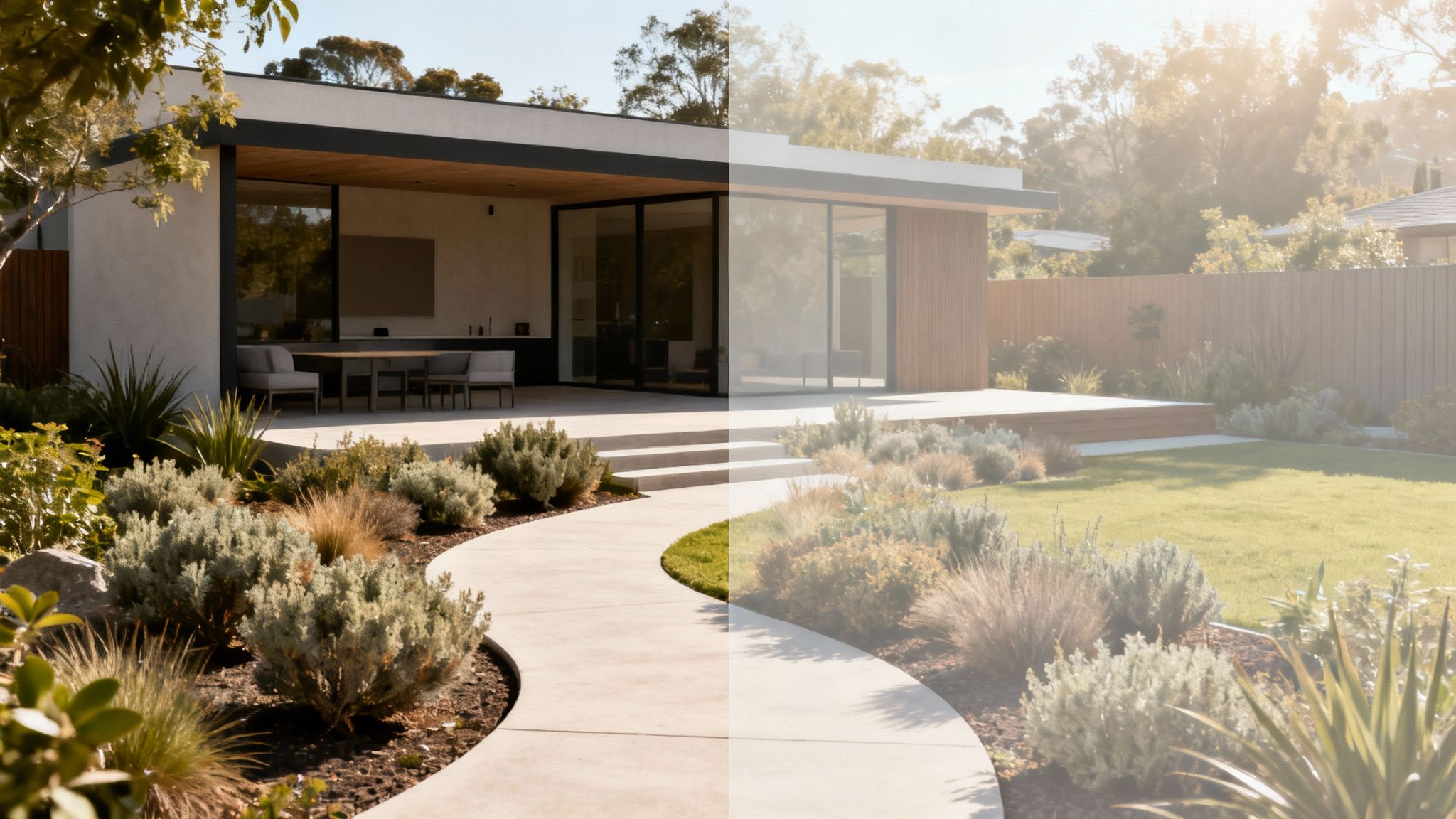
This tech makes professional-quality visualization something anyone with a smartphone can do. It gives you the power to see a finished project before you even pick up a shovel, which takes all the guesswork out of the process and gives you a huge boost of confidence in your design choices.
From Photo to Finished Concept in Seconds
The process couldn't be simpler. You snap a picture of your yard, and the AI does the creative heavy lifting. It can transform your space into a bunch of different styles, letting you experiment freely without any commitment or manual design work.
Imagine being able to test-drive a few different looks for your front yard:
Modern Garden: See how clean lines, minimalist plants, and sleek hardscaping could give your home's curb appeal a serious update.
Lush Cottage Escape: Instantly visualize your yard overflowing with blooming flowers, charming stone paths, and a cozy, welcoming vibe.
Desert Oasis: Explore what xeriscaping with native succulents, decorative rocks, and gravel beds would look like right outside your door.
Apps like DreamzAR use this powerful AI to deliver tangible concepts that feel like they were made just for you. This isn't just about plopping down random objects; it's about generating a cohesive vision that actually complements your home's architecture and layout. The core benefit is that you can apply AI Landscape Design to visualize your ideas using photos of your own yard, making every concept relevant.
The real magic of AI in landscape design is how it turns a simple photograph into an inspiring, actionable plan. It closes the gap between your imagination and reality, letting you make smart decisions based on what you can actually see in your own space.
Overcoming Design Paralysis
One of the best things about using AI is that it gives you immediate inspiration. Instead of getting lost scrolling through endless generic ideas online, you get designs that are already customized for your yard. This is a huge help for breaking through that feeling of paralysis that often hits when you're starting a big project.
It gives you a clear, simple starting point:
Upload Your Photo: Just start with a clear picture of the area you want to tackle.
Select a Style: Pick from different themes like "Tropical," "Modern," or "Low Maintenance."
Generate Ideas: The AI will create several design variations for you to look at and compare.
This back-and-forth process lets you quickly figure out what you like and what you don't. For anyone excited to jump in, it's worth seeing how advanced AI design generation tools make the creative process so much smoother. These platforms are getting more sophisticated all the time, offering even more control and realism.
When you can see different possibilities applied directly to your home, you can sharpen your vision and explain it much more clearly to a contractor—or use it as a solid blueprint for a DIY project. The ability to try on different styles is key, and you can see more examples by checking out the various categories of AI landscape design. This technology really does move you from a state of not knowing where to begin to feeling creatively empowered, all from a single photo.
Comparing Professional-Grade Design Software
When a project demands absolute precision, technical documentation, and flawless execution, it's time to move up to a different class of tools. For landscape architects, seasoned designers, and contractors, the best landscape design software isn't just about making things look pretty—it's about creating buildable, permit-ready plans. This is the world of industry heavyweights like AutoCAD, Vectorworks Landmark, and SketchUp, each bringing a unique approach to the professional workflow.
Stepping into this tier means shifting your focus from simple aesthetics to hardcore technical accuracy. These platforms are built from the ground up for creating detailed construction documents, wrestling with complex site data, and integrating seamlessly with larger architectural projects. While professionals may not always start with a simple photo, the client visualization phase can still benefit from tools that apply AI Landscape Design to show initial concepts on photos of the actual yard before committing to complex CAD work.

This corner of the software market is booming, which isn't surprising given the growing demand for functional, beautifully designed outdoor spaces. In 2024, the global landscape design software market hit a valuation of about USD 2.1 billion, and it's projected to rocket to nearly USD 5.8 billion by 2032. This surge just goes to show how much pros are relying on these advanced tools to handle the complexities of urbanization and meet increasingly sophisticated client demands.
AutoCAD: The Standard for 2D Precision
For decades, AutoCAD has been the undisputed king of 2D drafting. Its superpower is producing meticulously detailed line drawings, the very backbone of any set of construction documents. If your final deliverable is a crystal-clear, measurable plan for contractors to build from, AutoCAD is your workhorse.
But let’s be honest, its native 3D capabilities can feel clunky compared to more specialized modeling software. While you can create 3D models in AutoCAD, the process is often more complex and less intuitive for landscape work. For pros who live and breathe site plans, grading plans, and planting layouts, AutoCAD remains an essential, powerful tool.
The real value of AutoCAD is its universal acceptance and precision. When you send an AutoCAD file to an engineer, surveyor, or builder, you know they can open it and work with it. It’s the industry’s common language for technical plans.
Vectorworks Landmark: The All-in-One Solution
Vectorworks Landmark was built from the ground up with landscape architects and designers in mind, offering a much more holistic workflow. It masterfully blends 2D drafting, 3D modeling, and even Building Information Modeling (BIM) into one cohesive environment. That integration is its biggest strength.
One of its standout features is its seriously robust plant database and site analysis tools. You can attach all sorts of data to your plants—water needs, soil type, mature size—which then informs the design and automatically spits out schedules and reports. This kind of horticultural intelligence is invaluable for creating landscapes that will actually thrive.
Plus, Vectorworks makes it incredibly easy to jump between 2D plans and 3D models. A change you make in one view is instantly updated in the other, which is a lifesaver for maintaining consistency and catching errors before they become problems.
SketchUp: The Champion of Conceptual 3D Modeling
SketchUp earned its stellar reputation by being an incredibly intuitive and lightning-fast 3D modeling tool. Many pros I know use it during the early conceptual stages to quickly build and explore 3D forms. It's absolutely perfect for mocking up a model to show a client exactly how that new patio, pergola, or planting scheme will feel in their actual space.
While its core strength is visualization, SketchUp can produce 2D construction documents through its companion program, LayOut. However, it just doesn't have the deep, data-rich features you'd find in a tool like Vectorworks Landmark. Its plant libraries, for example, are mostly for looks and lack the detailed horticultural data needed for complex, sustainable planting plans. If you're curious about why a deep plant library matters, check out our piece on https://www.dreamzar.app/post/dreamzar-4-5-a-comprehensive-landscape-design-app-with-over-2000-2d-plants.
Professional Landscape Software Feature Comparison
To help you see how these powerhouses stack up, here’s a quick breakdown. Each has its own sweet spot, and the best one for you really depends on where you spend most of your time in the design process.
Software | Primary Use Case | 3D Modeling Strength | Plant Library Detail | Best For |
|---|---|---|---|---|
AutoCAD | 2D technical drafting & construction documents | Basic/Complex | Minimal (requires add-ons) | Engineers, architects, and designers focused on precise 2D plans. |
Vectorworks Landmark | Integrated 2D/3D design & BIM for landscape | High (integrated with 2D) | High (with horticultural data) | Landscape architects needing an all-in-one design and documentation tool. |
SketchUp | Rapid 3D conceptual modeling & visualization | Very High (intuitive & fast) | Low (primarily visual) | Designers focused on client presentations and quick 3D mockups. |
This table should give you a clearer picture of where each program shines. Think about your day-to-day tasks and what kind of output your clients and collaborators need most.
Making the Right Professional Choice
Picking the right professional-grade software is a huge decision that will shape your daily workflow and the quality of your final projects. There's no single "best" tool—it's all about fit.
Here’s a simple way to think about it:
Choose AutoCAD if: Your main job is to produce hyper-accurate 2D construction documents, and you're constantly swapping .DWG files with engineers and other trades.
Choose Vectorworks Landmark if: You need a seamless 2D/3D workflow packed with landscape-specific tools, smart objects, and BIM power for large-scale projects.
Choose SketchUp if: Your focus is on whipping up quick 3D models for client presentations and exploring concepts, with the option to create 2D plans later.
For anyone diving into the pro software world, this CAD software comparison for architects is a great resource for understanding the broader ecosystem. In the end, the best software is the one that feels like a natural extension of your design process, from that first spark of an idea to the final built landscape.
A Closer Look at User-Friendly Online Garden Planners
When professional-grade CAD software feels like bringing a sledgehammer to a garden party, it's time to look at a more approachable set of tools. For homeowners and DIY folks, the best landscape design software is almost always a user-friendly online garden planner. These platforms are all about accessibility, helping you bring your ideas to life without a monster learning curve or a hefty price tag.
I’m talking about tools like Garden Planner, Pro Landscape Home, and iScape—all built for practical, everyday projects. Think about mapping out a new vegetable patch, figuring out the perfect layout for your patio furniture, or planning a vibrant flower bed to boost your curb appeal. These tools are fantastic for turning a rough idea into a clear plan you can actually build from.
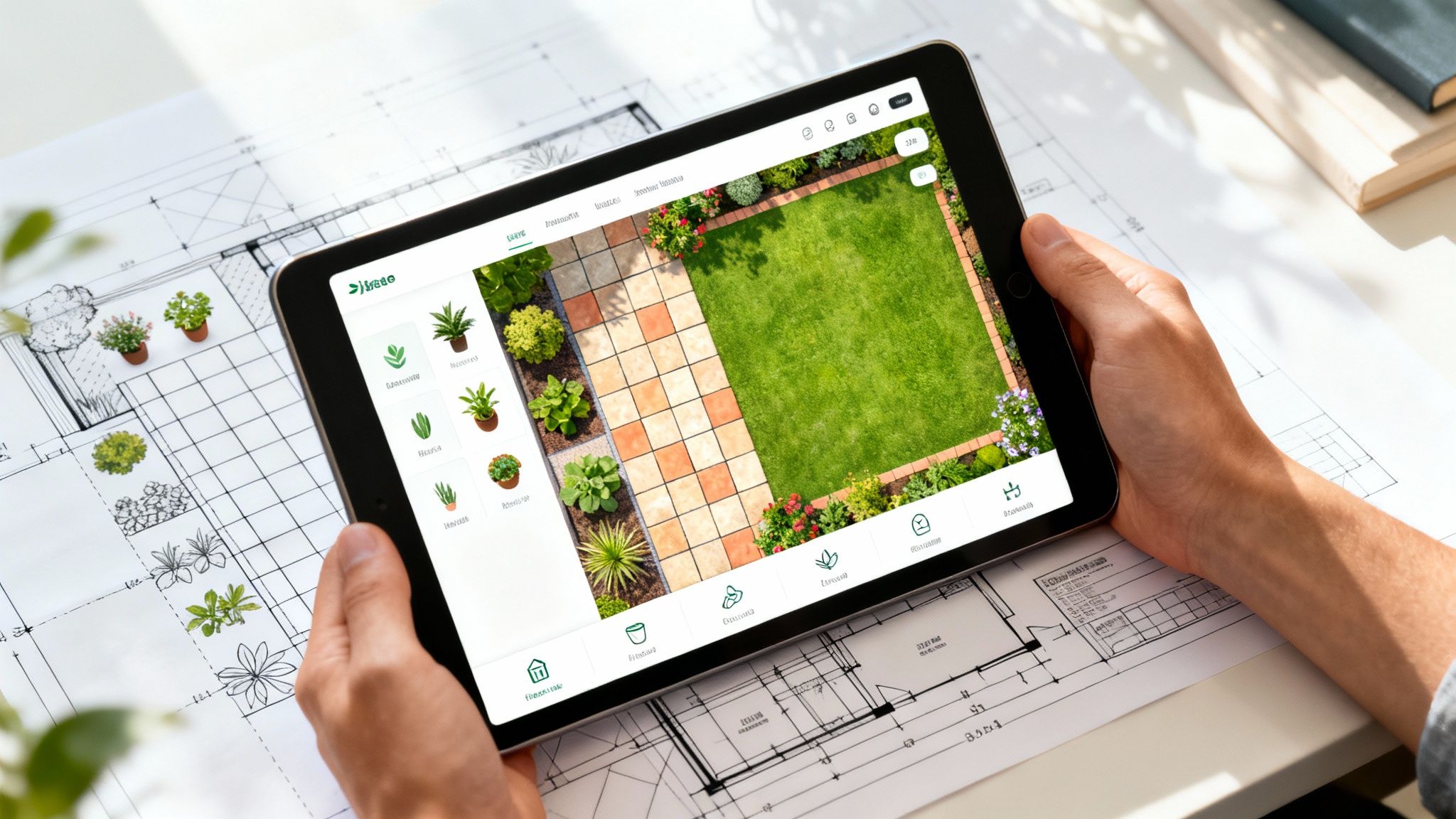
My focus here is on real-world usability. We'll be sizing up these planners based on three things that really matter to a homeowner: how easy they are to pick up and use, the quality of their 2D and 3D views, and how deep their libraries of plants and materials go.
The Power of Visualizing with Your Own Photos
A massive leap forward for these tools has been the arrival of AI-driven visualization. The ability to apply AI Landscape Design to visualize your ideas using photos of your own yard has completely changed the game for homeowners. Instead of starting with a blank slate or a generic template, you begin with the one space that actually matters—yours.
This photo-first approach is a winner for a few reasons:
Immediate Context: Your designs are no longer just floating in digital space. You can see exactly how a new Japanese Maple or a flagstone path will look against your home's siding and next to your existing driveway.
Realistic Proportions: It gives you a much better feel for scale. This is huge for avoiding common mistakes, like picking plants that will eventually swallow a small space or installing a patio that looks comically undersized.
Inspiration on Demand: Stuck for ideas? Just upload a photo. You can generate multiple design concepts in seconds, breaking through creative blocks and discovering styles you might never have considered on your own.
This feature is the bridge between a 2D grid and the real world, giving you a much more confident starting point for any project. You can explore a whole range of free online landscape design tools that use this technology to make planning feel more intuitive and, frankly, more fun.
Comparing Key Features for Homeowners
While a lot of online planners have similar goals, how they get there can be wildly different. Let's break down what to look for when you're choosing the right one for your next weekend project.
Ease of UseThis is non-negotiable for most of us. The best tools have an intuitive drag-and-drop interface. You should be able to grab plants, pavers, and furniture from a library and place them on your plan without ever needing to crack open a manual. A clean layout and clear icons are always a good sign.
2D vs. 3D VisualizationMost planners start you off with a 2D, top-down view, which is perfect for arranging layouts and getting your spacing right. But a good 3D view is what really brings a design to life. It lets you "walk through" your virtual garden, see how tall shrubs will create privacy, and check the view from your kitchen window. The quality of these 3D renderings can vary from basic and blocky to surprisingly realistic.
The most effective online planners empower you to create a beautiful, functional design quickly. They succeed by simplifying complex processes, not by stripping away essential features. Their goal is to make good design accessible, not to replicate the technical depth of professional CAD software.
Object Libraries and Customization
The variety in a planner's object library is what gives your design its personality and accuracy. A skimpy library can leave you trying to make a generic green blob stand in for the specific boxwood you want, which isn't very helpful.
Look for a planner with a solid, well-organized library that includes:
A Diverse Plant Selection: It should have a good mix of trees, shrubs, perennials, and annuals—ideally with basic info like mature size and light needs.
Hardscaping Materials: This means different types of pavers, mulch, gravel, and decking materials so you can match your real-world choices.
Outdoor Objects: A decent selection of furniture, fire pits, sheds, and water features helps complete the picture and create a full vision.
While these tools are fantastic for planning and dreaming, it’s important to know their limits. They generally won't help you create precise construction documents, detailed grading plans, or irrigation layouts. For that level of detail, you still need professional-grade software.
But for the homeowner ready to design and execute their own garden makeover, a user-friendly online planner is the perfect digital sidekick.
Your Design Studio, Now in Your Pocket
Let's face it, modern landscape design has gone mobile. The days of being tethered to a desktop computer just to sketch out a few ideas are quickly becoming a memory. Today, some of the best landscape design software fits right in your pocket, and it’s completely changing how we approach our outdoor projects.
This whole shift is possible thanks to the sheer power of modern smartphones, especially their incredible cameras and processors. Apps are now built to take full advantage of these features, offering on-the-spot visualization tools that, not too long ago, were only found in expensive, professional-grade software.
The real game-changer is how these apps let you use AI to visualize new landscape designs with a photo of your own yard. Instead of messing with clunky templates, you're starting with a real picture of your actual space. It just makes the entire process feel more intuitive and, frankly, more personal.
Augmented Reality Makes Your Ideas Real
One of the coolest things to come out of mobile design is Augmented Reality (AR). This isn't just a gimmick; AR technology overlays digital objects onto the real world through your phone's camera, letting you see exactly how your ideas will look and feel.
Apps like DreamzAR use AR to let you virtually "place" plants, patio furniture, and even pavers directly in your yard. You can literally walk around a virtual fire pit to see if it cramps your patio space or check if that Japanese Maple is going to look too big for the corner by your fence. Having this real-world context is a massive leap forward from flat, 2D plans.
With AR, you can get immediate answers to crucial design questions:
Scale and Proportion: Is this pergola going to overwhelm the house? Do these boxwoods look right next to the porch?
Placement and Flow: Does this new walkway feel natural to walk on? Is there enough room to actually get around that new outdoor sofa?
Style and Aesthetics: How does this paver style really look next to my existing brickwork?
Being able to see virtual objects in your actual yard takes all the guesswork out of the equation. It closes that gap between a plan on a screen and the reality of your space, giving you the confidence that what you design is what you'll get.
Getting Instant Inspiration with AI Photo Generation
Beyond AR, mobile apps are fantastic for a quick dose of inspiration using AI. Just snap a photo of your yard, and AI-powered tools can spit out multiple, fully-formed design concepts in seconds. This is perfect for when you're stuck in a creative rut or want to explore styles you’d never have thought of on your own. You can see just how easy it is to start with a free garden and landscape design app for iPad and iPhone that puts these features to work.
The move to cloud-based tools has made all this powerful mobile tech more accessible than ever. Since around 2024, SaaS and cloud platforms have really taken over, making sophisticated design features available to everyday homeowners and small businesses. Weaving AR and AI into these mobile platforms lets you interact with your project in a way that just clicks, which is why they're catching on so fast. To get a better sense of this industry shift, you can discover more insights about landscape software trends and its market growth.
Whether you're using AR for precise placement or AI for a burst of creativity, mobile apps have turned landscape design into something dynamic and immediate. They give you the power to make smarter, faster, and more confident decisions right where it counts—standing in your own backyard.
How to Select the Right Software for Your Project
So, how do you pick the best landscape design software? The honest answer is that it really comes down to what you're trying to accomplish. There's no magic bullet; the perfect tool for a professional drafting blueprints is worlds away from what a homeowner needs for a weekend project.
It's all about matching the software’s strengths to your specific situation. The very first step is getting clear on your end goal. Are you just trying to brainstorm some fresh ideas for your tired-looking front yard, or are you drawing up a detailed plan for a contractor to build a multi-level deck? The answer changes everything.
Match the Tool to the Task
A great way to cut through the noise is to think about your project in terms of what you need to get done. The final deliverable—whether it's a mood board or a construction document—dictates how much detail and technical power you’ll need.
Let’s break it down into a few common scenarios:
You Just Need Quick, Visual Ideas: If your main goal is to simply see what's possible, an AI-powered app is your best friend. The ability to apply AI Landscape Design to visualize your ideas using photos of your own yard is a genuine game-changer. You get instant, relevant concepts without needing any design skills.
You're Planning a Specific DIY Project: Got a new flower bed, pathway, or patio in mind? A user-friendly online garden planner hits the sweet spot. These tools usually offer simple drag-and-drop controls and libraries of common items to help you create a solid 2D or 3D layout you can build from.
You Need Professional Construction Plans: When permits, precise measurements, and material lists are involved, there's no substitute for professional-grade CAD software. These are the heavy hitters built for technical accuracy, used daily by architects and landscape contractors.
The most powerful way to kick off any project is to see the potential in your actual space. Using a photo of your own yard as the canvas for AI-generated designs closes the gap between imagination and reality. It gives you the confidence to make smart decisions right from the start.
This decision-tree visualizes how you might approach this, depending on whether you're looking for instant inspiration or want to virtually place specific objects.

As you can see, for most homeowners, the journey starts with tools that use AI or AR to give immediate, personalized feedback. Once you pinpoint your main objective, you can pick the right software with confidence and make sure your time and money are spent bringing your vision to life.
Answering Your Top Questions About Landscape Software
Choosing the right landscape design software can feel like a big decision, but it doesn't have to be complicated. Let's walk through some of the most common questions people have.
Can I Use a Photo of My Own Yard?
Yes, you absolutely can—and you should! This is probably one of the most powerful features to look for. Modern apps are built specifically for this, letting you apply AI Landscape Design directly to photos of your own yard.
It's a game-changer because it gives you an incredibly realistic preview of how new plants, patios, and garden beds will look in your actual space. No more guesswork, just confident decisions.
What’s the Easiest Software to Get Started With?
If you're just dipping your toes into landscape design, you’ll feel most comfortable with an AI-powered mobile app or a simple web-based tool. Apps like DreamzAR are built for homeowners, not professional landscape architects, so you don't need any technical drawing skills.
The whole point is to make it intuitive. You upload a photo, and the app's interface guides you through generating inspiring results almost instantly. It’s all about getting your ideas out of your head and onto the screen, fast.
The real magic of today's software is its ability to turn a simple vision into something you can actually see. When you start with a photo of your own yard, you're grounding your creative ideas in reality. This ensures the final design isn't just beautiful, but a perfect fit for your home.
Do I Really Need Professional Software for a DIY Project?
For the vast majority of DIY projects, jumping into professional-grade software like AutoCAD or Vectorworks Landmark is like using a sledgehammer to hang a picture frame. It’s complete overkill.
Those programs are incredibly powerful, but they come with a massive learning curve and are designed for creating technical construction documents. A user-friendly mobile app or an online planner, especially one where you can apply AI Landscape Design to visualize ideas using photos of your own yard, will give you everything you need to map out gardens, patios, and other common backyard updates.
How Much Does This Kind of Software Cost?
The price range is pretty wide and really depends on what you need it to do. On one end, you have mobile apps and basic online planners, which are super budget-friendly. These often have free versions or annual subscriptions that land somewhere around $50.
On the other end, professional desktop software is a serious investment. You could be looking at several hundred to even a few thousand dollars for licenses and subscriptions. This is exactly why accessible AI tools have become such a great starting point for homeowners.
Ready to stop imagining and start seeing what your yard could be? With DreamzAR, you can turn a simple photo into a stunning landscape design in just a few seconds.