AI for Landscape Design The Ultimate Guide to Visualizing Your Yard
- Akhilesh Joshi
- 53 minutes ago
- 18 min read

Ever wondered if you could turn a simple photo of your backyard into a portfolio of professional-grade landscape designs in just a few minutes? Well, that's the new reality with AI for landscape design. It's a technology that’s making it easier than ever to use a picture of your own property to see your dream yard come to life—a huge leap from the slow, traditional methods we used to rely on.
See Your Dream Yard Before You Dig
For years, redesigning your outdoor space involved a lot of guesswork. You'd scribble on paper, piece together mood boards, or hire a pricey landscape architect to translate your ideas into a plan. It was often a slow, abstract process that left way too much to the imagination. You just had to cross your fingers and hope the final result matched the vision in your head—a gamble that could easily cost you thousands.
But artificial intelligence is changing the game entirely. Think of it like a virtual "try-on" app for your property. Instead of seeing how a new shirt looks on you, you're seeing how a modern paver patio or a lush perennial garden looks in your actual yard, all by starting with a photo from your phone. This isn't about looking at generic templates; it's about using a photo of your own space as a digital canvas.
From a Simple Photo to a Full Vision
The real magic of AI for landscape design is how it understands and reimagines your property from a single image you provide. You can snap a picture of a tired front lawn or an empty backyard with your smartphone, upload it, and instantly start exploring dozens of possibilities tailored specifically to that view.
This kind of direct visualization is a game-changer because it completely removes the guesswork. You’re no longer just imagining what could be—you’re seeing it on a photo of your own yard. The technology lets you play around with different styles, materials, and plant combinations, all tailored to the unique layout of your home as seen in your picture.
The biggest win with AI is how it closes the gap between imagination and reality. Homeowners can now see a hyper-realistic preview of their project on a photo of their own yard, which builds confidence and leads to much better design decisions.
This immediate feedback makes the whole creative process feel more like a conversation. Don't like the rustic fire pit the AI suggested for your patio photo? Just type a simple request for a sleek, modern one instead. Want to see what a Japanese-inspired rock garden would look like instead of a traditional lawn in your front yard picture? The AI can whip up that concept in seconds. It’s an interactive approach that turns landscape design into a fluid, experimental, and deeply personal journey, all based on the reality of your space.
To see just how powerful this is, check out some of the incredible before-and-after transformations possible with the DreamzAR app. It’s an empowering tool that puts you in the designer's seat, using photos of your own yard to ensure the final plan is something you absolutely love before a single shovel ever hits the ground.
How AI Turns Your Photo Into a Design
Thinking about how an app can look at a picture of your yard and spit out a fully-formed design can feel a bit like magic. But what's happening behind the scenes is a clear, powerful workflow. It all starts with a simple snapshot from your phone, a photo of the very space you want to transform.
When you upload that photo, you're not just giving the AI a pretty background. You're handing it a data-rich canvas. The AI immediately gets to work analyzing the image of your yard, identifying the key players: your house facade, that old oak tree, the existing fence line, and the patchy grass. It’s measuring dimensions, mapping the layout, and even making smart guesses about things like sun exposure by looking at the shadows in your picture. This first step is what makes the final designs feel like they truly belong in your space, not just slapped on top of it.
This process takes your photo from a simple starting point to a complete, custom concept, with the AI doing the heavy lifting.
As you can see, your photo is the critical first piece of the puzzle. The AI brain then processes it to dream up a landscape made just for you, visualized directly onto the image of your property.
The Power of Your Prompts
Once the AI has the lay of the land from your photo, you step in as the creative director. This is where you guide the design using simple text prompts. You can type in almost anything, from "add a modern stone patio with a fire pit" to "show me what a low-water garden with native plants would look like here." The AI takes your request and applies it directly to your photo, checking it against its massive internal library of plants, materials, and proven design principles to create something that looks great.
You can be as vague or as specific as you want. For example:
Vague Prompt: "Add some flowers."
Specific Prompt: "Create a layered flower bed along the fence with purple salvia, yellow black-eyed Susans, and low-growing white alyssum."
The more detail you give it, the closer the AI gets to pulling the vision right out of your head and placing it onto the picture of your yard. It’s a back-and-forth process that lets you test out ideas in seconds, instead of waiting days for a designer to send back a new draft. For more tips on writing prompts that get great results, check out our guide on how to create a landscape design using a photo.
Two Types of AI Working Together
What you don't see is that there are actually different kinds of AI working as a team to produce these stunning visuals on your photo. It's not one single program, but a sophisticated system where each part plays to its strengths.
Generative AI: Think of this as the artist. It’s the part of the system that actually creates the new images you see, painting in the realistic textures of a paver patio or rendering the delicate leaves of a Japanese maple. It’s been trained on millions of images, so it knows how to generate brand new visuals that blend perfectly with your original photo of your yard.
Analytical AI: This is the project's horticulturist and engineer. It works in the background, analyzing data from your photo and location to make smart suggestions. For instance, it might recommend drought-tolerant plants if your photo's lighting suggests a dry climate, or it might pull specific materials that fit the "modern" aesthetic you asked for.
By combining generative visuals with analytical intelligence, these tools offer more than just a pretty picture. They provide a smart, data-informed starting point based on your actual property, which improves the feasibility and beauty of the final project.
This powerful combination of technologies is why these tools are catching on so quickly. The market for AI-powered design is expected to grow from $5.54 billion in 2024 to $6.7 billion in 2025—that's a leap of over 20% in just one year. This shows just how much these tools are changing the game for professionals and homeowners alike. To really get into the weeds of how your 2D photo gets turned into a detailed design, you can explore guides on AI image to 3D model conversion.
A Practical Guide to Using AI on Your Yard
Knowing AI can help reimagine your yard is one thing, but actually doing it is another. The good news is the process is surprisingly straightforward and, honestly, a lot of fun. It’s less about being a tech whiz and more about having a clear vision—or just being open to playing around with a few ideas on a photo of your own home.
This guide will walk you through the four key steps to turn a simple photo of your yard into a landscape design you’ll love. Think of it as a creative partnership. You bring the canvas (your yard photo) and the initial spark, and the AI brings the lightning-fast visualization skills. The result is something that’s genuinely yours.
Step 1: Capture the Perfect "Before" Photo
Your journey starts with a single, crucial element: a good photo of your yard. The quality of this first image directly shapes how realistic and accurate the AI-generated designs will be. A great photo gives the AI a clean, data-rich canvas of your actual space to work on.
To get the best results, just follow these simple tips:
Find the Right Light: Try to shoot on an overcast day or during the "golden hours"—early morning or late afternoon. This helps you avoid the harsh shadows and blown-out bright spots that can confuse the AI when analyzing your yard photo.
Choose a Comprehensive Angle: Stand back and get as much of the area as you can in one wide shot. If you can get a slightly elevated view, like from a second-story window or a deck, that’s even better for a fantastic overview of your property.
Clear the Clutter: Move any temporary items like toys, garden hoses, or tools out of the frame. A tidy space helps the AI focus on permanent features in your photo like your house, trees, and walkways, which leads to much more relevant design ideas.
Step 2: Upload Your Image to an AI Tool
With your "before" shot ready, the next step is to pick your AI platform and upload the picture. This is where the magic really starts. As soon as your photo is uploaded, the AI gets to work analyzing it, mapping out your existing layout and identifying key features it can build upon.
Most modern AI landscape apps are designed to be incredibly intuitive. It’s usually as simple as tapping a button, picking the photo of your yard from your camera roll, and hitting confirm. In seconds, your yard is transformed into a digital playground.
Step 3: Craft Prompts That Bring Your Vision to Life
Now you get to be the creative director. A prompt is just a text instruction you give the AI, telling it what you want to see in the design it creates on your photo. The detail and clarity of your prompts are what will turn a generic idea into a personalized, stunning vision for your home.
The difference between a simple prompt and a detailed one is massive. A simple prompt gives the AI more creative freedom, which can be great for just kicking around initial ideas. But a detailed prompt is what helps you zero in on a specific look and feel for your yard.
Think of prompting like playing an instrument. At first, you might just play simple notes. With a little practice, you start composing complex melodies. The more you refine your technique, the more personal and beautiful the music—or in this case, the design on your photo—becomes.
Let's look at two ways to ask for the same thing: a new fire pit area applied to your backyard photo.
Prompt Type | Example Prompt | AI's Likely Interpretation |
|---|---|---|
Simple Prompt | "Add a cozy fire pit area." | The AI will generate a standard fire pit on your photo, probably grabbing a popular style and a common seating layout from its training data. |
Detailed Prompt | "Add a rustic, circular stone fire pit surrounded by four dark brown Adirondack chairs. Place low-maintenance lavender and ornamental grasses around the seating area." | The AI will generate a highly specific scene that matches your vision right on your photo, down to the material, shape, furniture style, and even the plant types. |
As you can see, specificity is your best friend when you have a clear idea in mind. Don’t be afraid to mention materials, colors, styles, or even the mood you want the space to have.
Step 4: Iterate and Refine Your Designs
Your first AI-generated design is almost never the final one. The real power of using AI for landscape design is how fast you can iterate using your photo as a base. This last step is all about reviewing the design, tweaking your instructions, and regenerating until it perfectly matches what you’re picturing for your yard.
If a design isn't quite right, you've got two main options:
Adjust Your Prompt: Tweak your wording to get closer to your goal. If the patio is too big, try adding "create a small, intimate paver patio." If the plants are too bright, specify "use plants with muted, cool-toned foliage."
Use Built-in Editing Features: Many tools let you make adjustments right on your photo. You might be able to erase elements you don’t like or select a specific part of the yard and ask the AI to redesign only that section.
This back-and-forth process is where your collaboration with the AI truly shines. It’s risk-free experimentation on a picture of your own property. You can explore dozens of possibilities in the time it would take to get a single revision from a traditional designer. Embrace this refinement process to create a landscape you’ll be excited about for years to come.
Choosing The Right AI Landscape Design Tool
The world of AI for landscape design is blowing up, and with new apps popping up all the time, figuring out which one to use can be a real headache. They aren't all created equal. Some are fantastic for a homeowner who just wants a bit of quick inspiration using a photo of their yard, while others are packed with heavy-duty features meant for the pros. The trick is to find a tool that actually fits your project and how comfortable you are with technology.
It's a bit like choosing a camera. A simple point-and-shoot is perfect for grabbing quick family photos. But a professional photographer? They need a full-blown DSLR with a bag of lenses to get the job done right. The same logic applies here. What do you want to achieve with that photo of your yard? Are you just looking for a few beautiful concepts, or do you need to generate detailed plans and figure out materials?
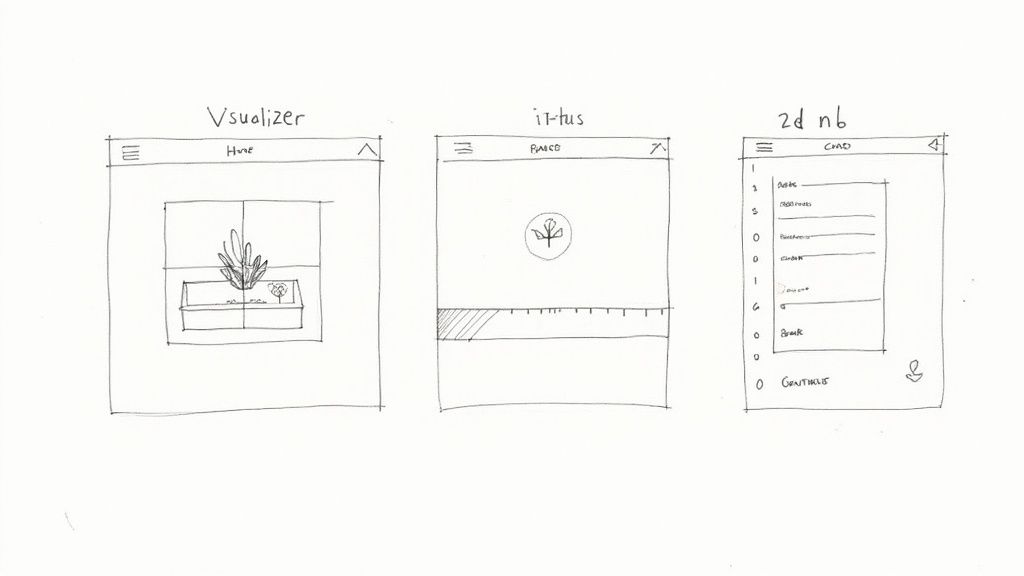
Getting a handle on the key features is the first step. It'll help you cut through the marketing fluff and focus on what you actually need for your project.
Core Features Every Homeowner Should Look For
If you're a homeowner, you're probably all about visualization. You want to see what your yard could be, without getting lost in technical jargon. The absolute number one feature, then, is the ability to upload a photo of your own yard and get back realistic, high-quality designs.
Beyond that, here's what to keep an eye out for:
Easy to Use: The app should just make sense. You should be able to upload a photo of your yard and get ideas in minutes, not after watching an hour of tutorials.
Style Variety: A good tool needs to offer a wide range of looks. Whether you're dreaming of a sleek modern patio or a wild English cottage garden, the AI should be able to deliver it on your photo.
Prompt-Based Generation: Being able to guide the AI with simple text is crucial. This is how you team up with the tech to tell it what you're thinking.
High-Quality Visuals: The pictures it generates need to look real enough to give you a true feel for the finished product. Grainy, cartoonish images aren't going to help you make good decisions.
These are the basics that make for a great user experience, letting you use your own property as a canvas to explore endless possibilities.
The best AI tools act as a creative partner, not just a generator. They empower you to experiment with your own property as the canvas, making the design process interactive, personal, and genuinely exciting.
Advanced Features For Professionals And Enthusiasts
While homeowners are looking for simplicity and inspiration, landscape pros and serious DIYers need more firepower. Advanced features can turn a fun visualization tool into a serious asset for planning, showing clients ideas, and managing a project from start to finish.
To help you distinguish between the nice-to-haves and the must-haves for more complex projects, here's a quick comparison of essential versus advanced features.
Essential vs Advanced AI Landscape Tool Features
Feature Type | Essential for Homeowners | Advanced for Professionals |
|---|---|---|
Input Method | Photo upload, simple text prompts | Photo upload, detailed prompts, 2D plan import |
Editing Control | Basic style selection (e.g., "Modern," "Cottage") | Object masking, selective area editing, material swaps |
Output Format | High-resolution images (JPEG, PNG) | Images, 2D schematic plans, basic material lists |
Realism | Photorealistic visuals for inspiration | Photorealistic visuals with specific, identifiable plants/materials |
Interactivity | Generate multiple design variations | Augmented Reality (AR) overlays for on-site viewing |
This table gives you a good idea of how the tools scale. The advanced features are what truly separate a hobbyist app from a professional-grade design assistant. They offer a much deeper level of control and practicality for bringing complex visions to life.
If you're a professional or a dedicated enthusiast, here are some of those advanced capabilities to look for:
Object Recognition and Masking: This is a game-changer. The AI can identify things in your client's photo—like an old oak tree or a concrete patio—and let you design around them or replace them entirely. It gives you surgical precision.
2D Plan Generation: Some platforms can actually turn a beautiful design concept into a basic 2D layout. This is incredibly helpful for mapping out dimensions and creating a starting point for contractors.
Detailed Plant and Material Libraries: Top-tier tools often come with huge databases of specific plants (sometimes with climate zone data), pavers, wood types, and other materials. This helps you create an image that isn't just pretty, but actually buildable.
AR (Augmented Reality) Viewing: The ability to project a new design onto the actual yard using a phone's camera is amazing. It gives you a real sense of scale and lets you "walk through" the design before a single shovel hits the dirt.
Ultimately, picking the right tool is all about what you need to accomplish. For a deeper look at different options, check out our guide on finding the best landscape design software for your yard. By matching the features to your goals, you'll find an AI partner that can truly help you build the outdoor space you've always wanted.
For a homeowner, playing with AI for landscape design is an exciting way to visualize a dream yard. But for a professional, it's a dead-serious tool for growing a business. We're talking about something that goes way beyond just making pretty pictures. This technology is changing the entire playbook for landscape designers, contractors, and maintenance crews. It brings speed, efficiency, and a whole new level of clarity to every step of a project, from the initial phone call to the final sign-off.
The most obvious win is right at the beginning, during the design phase. We've all been there—sketching out concepts, sending them to the client, waiting for feedback, revising, and repeating. That back-and-forth can eat up days, sometimes even weeks. Now, you can literally sit down with a client, snap a photo of their yard on your tablet, and generate a handful of stunning, realistic design options right there on the spot. This isn't just a minor tweak; it's a complete game-changer that frees up countless hours for bigger-picture thinking or, even better, for taking on more clients.
Slash Design Time, Win More Bids
That newfound speed is more than just a convenience—it's a massive competitive edge. Imagine this: a potential client can see a gorgeous, photo-realistic vision of their project just minutes into your first meeting, all based on a photo of their own home. That kind of instant visualization builds immediate trust and gets them excited. It cuts through the jargon and potential misunderstandings, setting crystal-clear expectations from day one.
Pros using AI can walk into a sales meeting with a compelling portfolio of options that are already tailored to the client's actual property. It makes a proposal feel less like a guess and more like a guarantee. The result? A much higher closing rate. When you can visually prove you understand their dream, you’re not just selling a service—you’re selling them their finished project. To see this in action, check out our guide on how the DreamzAR app helps you win more clients.
By turning a client's fuzzy idea into a concrete visual on a photo of their own yard, AI tools become the ultimate sales closer. They kill ambiguity and replace it with a clear, shared vision, which leads to faster approvals and happier, more confident customers.
Moving Beyond Design to Optimize Operations
The benefits don't stop once the design is approved. AI is also becoming a powerhouse for operational efficiency, helping to fine-tune everything from material estimates to the daily routes your crews run. This is where AI graduates from a cool design gadget to a core business management asset.
Landscaping companies are already seeing real, measurable results in the field:
Automated Site Analysis: AI can scan aerial or drone photos to instantly calculate a property's square footage, identify existing plants, and map out the topography. This makes quoting and planning dramatically faster and more accurate.
Predictive Resource Planning: By crunching data from past jobs, AI can help predict exactly how much mulch, how many pavers, and what equipment you'll need for an upcoming project, cutting down on waste and last-minute runs to the supplier.
Intelligent Route Planning: For maintenance crews, AI algorithms can map out the most efficient daily routes, factoring in traffic and job locations. We're talking significant savings on fuel and labor hours every single day.
These operational upgrades are why the industry is adopting this tech so quickly. A 2025 industry report found that 73% of landscapers now view technology adoption as "somewhat or very important." When asked where AI could help most, they pointed to field operations (39%), routing (33%), and scheduling (30%). By bringing AI into their workflow, professionals aren't just designing better—they're building smarter, more profitable, and more resilient businesses from the ground up.
The Future of AI in Landscape Design
The pace of change in AI for landscape design is genuinely staggering, but what we're seeing today is just the beginning. The tools that now turn a photo of your yard into a slick, static image are quickly morphing into something far more powerful: dynamic, intelligent systems that will give us a deeper, more predictive look into our outdoor space’s true potential.
Think of it this way: the future is less about single snapshots and more about simulating the entire life of your garden, all starting from that initial photo of your yard.
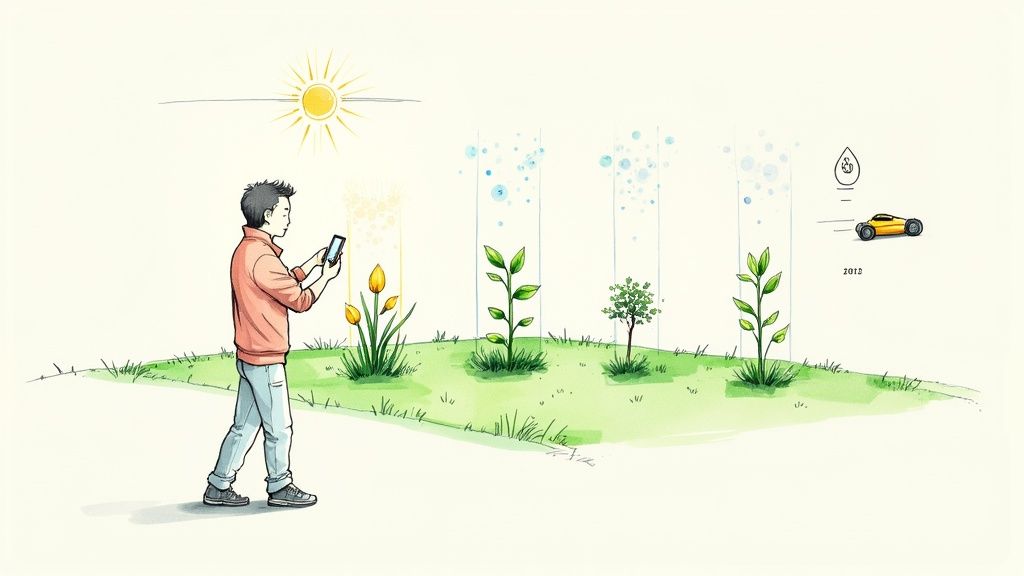
Imagine an AI that doesn’t just show you a design for today. Instead, it models how your handpicked plants will grow and change through the seasons—and over the next five or ten years, right on that image of your property. This future tech will pull in local climate data, the specific soil composition in your area, and ecological principles to automatically generate designs that aren't just beautiful but are also resilient and sustainable.
From Your Screen to Your Space
One of the most exciting shifts will be the much deeper integration of augmented reality (AR). Instead of just looking at designs on a screen, you'll be able to grab your smartphone, point its camera at your yard, and literally "walk through" a fully rendered version of your future garden.
This will let you see exactly how that new patio feels from your back door or check if that pergola you're dreaming of is the right scale—all in real-time, right in your own space. This shift from pixels to plants will make the entire design process more tangible than ever before.
And the market for these tools is exploding. In 2024, the global landscape design AI market was already valued at around USD 1.74 billion. Projections show it rocketing forward with a compound annual growth rate of over 21% into the early 2030s. A multi-billion dollar industry isn't just on the horizon; it's practically here.
The next wave of AI will move beyond simple visualization. It will become a true ecological partner, helping homeowners and professionals create outdoor spaces that are smarter, more adaptive, and perfectly in sync with their environment.
Looking even further down the road, it's easy to envision AI-powered robotic maintenance. Picture automated mowers and gardeners quietly tending to the very landscapes that AI helped create. It all paints a clear picture of a future where landscape design is more personalized, data-driven, and accessible to everyone, cementing AI's role as a permanent, powerful force in how we shape the world right outside our doors.
Got Questions About AI Landscape Design?
Jumping into the world of AI for landscape design is exciting, but it's totally normal to have a few questions about how it all really works. Getting a handle on the practical side of things—from privacy to price—is the key to using these tools with confidence. Let's tackle some of the most common questions homeowners have.
Can I Really Use a Photo of My Own Yard?
Absolutely. In fact, that's the whole point and the biggest benefit of modern AI landscape design tools. You just snap a clear picture of your backyard, front yard, or patio with your phone and upload it.
The AI uses your photo as the direct canvas for every design it dreams up. It looks at your house's style, any plants you already have, and the specific layout to create visuals that are actually relevant to your space. This ensures the results feel personal and authentic, not like a generic template.
How Accurate Are the AI Suggestions?
The accuracy of plant and material suggestions can vary, but the best tools use your location data (gleaned from your photo or provided by you) alongside massive databases to make some pretty smart recommendations. They can suggest plants that will likely do well in your climate zone and with the amount of sunlight your yard gets.
While AI is a brilliant partner for sparking inspiration, it's always a good idea to run its plant recommendations by a local nursery. An expert there can give you the final word on whether a specific plant will truly thrive in your specific soil and microclimate.
Think of the AI as your creative brainstorming partner. It serves up visually stunning ideas based on your photo, and you do the final reality check to make sure they're practical.
Is Using AI for Landscape Design Expensive?
Not at all, the cost is actually super flexible. Many apps designed for homeowners use a "freemium" model. This means you get a few free designs or a trial period to play around with the tool, using photos of your yard without spending a dime.
If you want to do more, subscription plans are usually very affordable—way less than what you'd pay a traditional landscape designer for just the initial concepts. Naturally, the professional-grade software for architects and contractors comes with a higher price tag to match its advanced capabilities.
What Happens to the Photos I Upload?
Data privacy is a huge deal, and it's something you should definitely pay attention to. Reputable AI platforms have clear, easy-to-read privacy policies explaining how they handle your images. Generally, your photos are processed on secure servers only for the purpose of creating your designs on your property images. They aren't shared publicly or used for anything else without your explicit permission.
Before you upload a picture of your home to any new service, just take a minute to scan its privacy policy. It's a simple step that helps you understand how your data is being stored, used, and whether you can delete your images when you're done.
Ready to stop imagining and start seeing? With the DreamzAR AI Landscape Design app, you can turn a single photo of your yard into dozens of stunning, professional-quality designs in just a few seconds. Your dream yard is literally a tap away.