Yard Design Made Easy With an App for Landscape Design
- Akhilesh Joshi
- Dec 15, 2025
- 13 min read

So, what exactly is an app for landscape design? Think of it as a professional designer, a creative partner, and a powerful planning tool all rolled into one, living right on your smartphone. The best modern apps use some seriously cool tech like artificial intelligence (AI) and augmented reality (AR) to help you dream up, visualize, and map out your perfect outdoor space—often starting with nothing more than a photo of your yard.
Bring Your Dream Yard to Life With a Design App
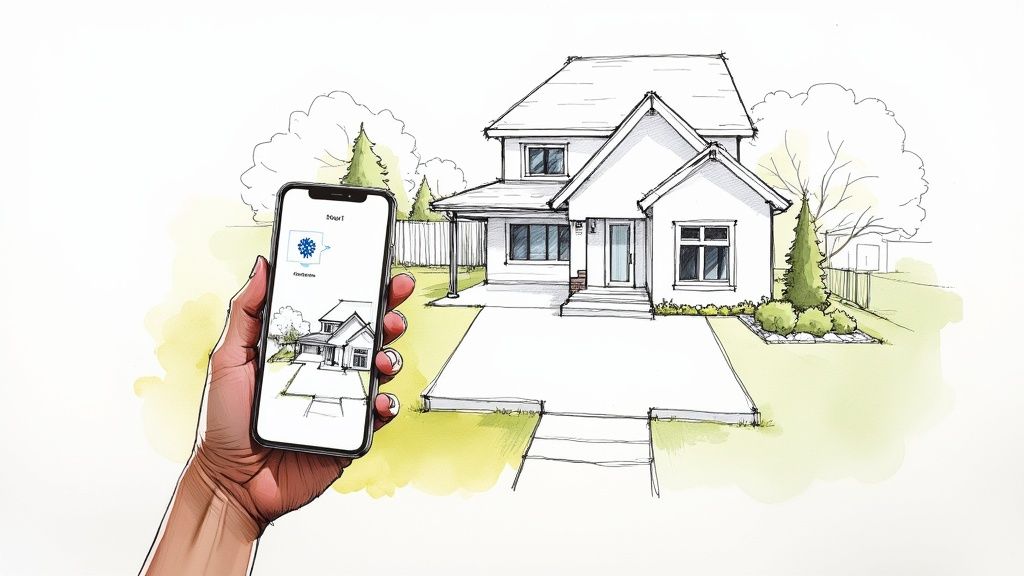
Staring at a blank slate of a yard—or one that's just overgrown and uninspired—can feel pretty paralyzing. Getting the ideas out of your head and into a real, workable plan has always been the biggest hurdle, one that used to mean shelling out for expensive design consultations.
Thankfully, that’s all changed.
Today’s landscape design apps are built to close that gap. They step in as your creative co-pilot, knocking down the technical barriers and guesswork that used to stand between you and a beautiful yard. The most exciting leap forward is how you can apply AI Landscape Design to visualize your ideas using photos of your own yard. Imagine just snapping a quick picture of your backyard and watching the app generate a whole set of stunning, practical design concepts, all perfectly fitted to your actual space.
Why Bother With a Landscape Design App?
This isn't just a gimmick; this technology offers real, tangible benefits that put homeowners in the driver's seat and make projects run smoother for everyone involved. Using an app for landscape design unlocks a handful of key advantages that make the whole process easier, cheaper, and way more predictable.
You get to:
Save a Ton of Money: You can dramatically cut down on professional design fees, or even skip them altogether, by creating your own professional-grade plans.
Communicate Clearly: No more waving your hands around trying to explain your vision. You can give contractors a precise visual blueprint, ensuring everyone is on the same page right from the get-go.
Unleash Your Creativity: Feel free to experiment with countless styles, plants, and materials without any risk or back-breaking labor. It’s a sandbox for your ideas, no experience necessary.
This shift is part of a much bigger trend. The garden planning app market, valued at USD 1.21 billion, is expected to explode to USD 4.03 billion by 2033. That’s a clear sign that homeowners everywhere are embracing these tools. You can dig into the numbers on this growth in the full market report.
Visualize It Before You Build It
The real magic of a modern app for landscape design is in its visualization tools. This is where it all comes together.
Apps like DreamzAR use augmented reality (AR) to let you literally "walk through" your new garden design using just your phone's camera. You can see exactly how that new flagstone patio, cozy fire pit, or flowering dogwood will look in your actual yard before a single shovel hits the dirt.
This ability to see the finished product ahead of time is a game-changer. It wipes out uncertainty and gives you the confidence to pull the trigger on your project. If you're wondering where to begin, a great place to start is our guide on how a free yard design app can get you started with DIY landscape design.
See Your New Yard Come to Life, Instantly
The real magic of a modern app for landscape design is how it completely vaporizes the guesswork. For years, planning a landscape meant rough sketches, cobbled-together mood boards, or just trying to explain a complex vision with words. Let's be honest, these methods are abstract and leave way too much up to interpretation. Today's tools flip that entire process on its head, making visualization the very first—and easiest—step.
Think of it like having a digital designer who can see your yard exactly as you do. That’s the power of AI-driven visualization. The process is surprisingly simple: you just snap a photo of your yard, pop it into the app, and let the AI do the heavy lifting. Within seconds, it analyzes everything—the sunlight, the existing layout, even your home's architecture—to generate multiple professional-looking design concepts right on top of your photo.
From Blank Slate to a Real Plan
This photo-to-design technology isn't just a neat party trick; it's a seriously practical tool that turns a fuzzy idea into a solid visual plan. The AI isn’t just dropping random plants on your lawn. It’s intelligently suggesting features that actually work together.
Smart Plant Suggestions: The AI recommends plants that not only look fantastic but are genuinely suited to your yard's specific conditions.
Hardscape Ideas: It generates concepts for patios, walkways, and retaining walls that actually fit the scale and style of your home.
Material Palettes: You can instantly see how different materials, like bluestone pavers or rich cedar mulch, will look in your actual space.
This first step smashes through the biggest roadblock most homeowners face: staring at a yard and having no clue where to even begin. You get instant, personalized inspiration.
For so many people, seeing a finished design on a photo of their own property is the turning point. It closes the gap between imagination and reality, giving them the confidence to finally move forward.
The app basically transforms a simple snapshot into an interactive design canvas. You can explore how to create a landscape design using a photo of your front or backyard to see just how intuitive this is.
The best part? You can generate countless variations. Feel like trying a modern minimalist look? Go for it. Want to see a lush English cottage garden instead? Done. This freedom to experiment without any real-world commitment is what makes an app for landscape design such an essential tool for any homeowner today.
Core Features That Make Your Vision a Reality
Getting an AI-generated design is a fantastic jumpstart, but let's be real—that's where the fun begins. The real magic happens when you get to roll up your sleeves and tweak things. A powerful app for landscape design gives you the tools to move past that initial burst of inspiration and start making the design truly yours.
Think of it as the bridge between a cool idea on your screen and a gorgeous, living, breathing outdoor space. After the AI spits out some concepts based on a photo of your yard, you can dive in and swap out plants, test different paving stones, or maybe add that pergola you've always wanted. It's this process of digital fine-tuning that saves a ton of time and headaches compared to the old way of doing things.
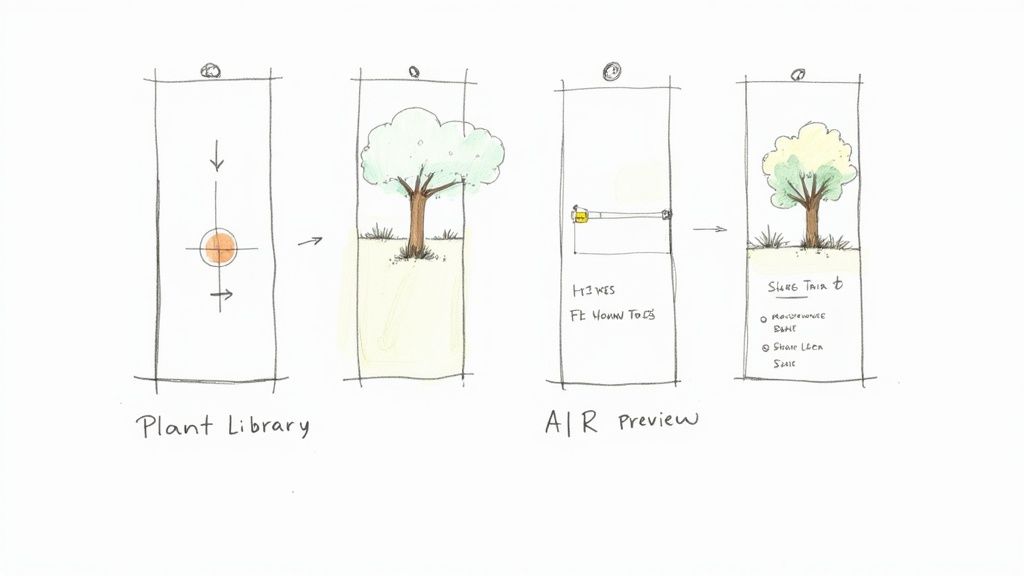
Go Beyond the Screen with Augmented Reality
One of the absolute game-changers in modern landscape apps is the Augmented Reality (AR) preview. This isn't just about looking at a flat picture. AR uses your phone's camera to overlay digital trees, plants, and patios right onto your actual yard. You can literally "place" a full-sized virtual tree in your yard and walk around it.
This feature helps you nail down the practical stuff:
Will that beautiful Japanese Maple block the view from my kitchen window?
Is the fire pit sitting a little too close to the house for comfort?
How much room will that patio set really take up?
AR cuts through the guesswork. It gives you a true sense of scale and presence before you spend a dime or lift a single shovel. It’s the closest you can get to seeing the finished product without any of the commitment.
A Library of Plants and Materials at Your Fingertips
A solid app also comes loaded with a huge library of plants and hardscape materials. And it's more than just a simple catalog—it’s a smart, localized guide. The best apps let you filter plants by your specific climate zone, making sure you only choose species that will actually survive, let alone thrive, in your garden. For a deeper look, you can learn about the comprehensive landscape design features available in DreamzAR, which includes its massive 2D plant library.
On the hardscape side, you can play around with dozens of materials for patios, walkways, and retaining walls. See how different textures and colors look against your home's exterior. It just makes pulling together a cohesive and sustainable design so much easier.
Finalizing your plan also means getting a handle on the budget. That's why built-in tools for taking measurements and estimating costs are so essential. You can quickly figure out the square footage for a new patio to price out pavers or measure the linear feet of a garden bed to buy the right amount of edging. This turns your beautiful design into an actionable blueprint you can confidently hand over to a contractor.
How to Choose the Right Design App for Your Project
Picking the right landscape design app feels a lot like choosing the perfect tool from your toolbox. You wouldn't use a sledgehammer to hang a picture, right? The same logic applies here—the app you pick should be a perfect match for the size and complexity of your project. The market is packed with options, so the trick is to look past the flashy marketing and zero in on what you actually need to get the job done.
First things first, what are you trying to accomplish? Are you just planning a simple weekend refresh for your front flower beds? Or are you dreaming up a total backyard transformation with a new patio, maybe even a pool or outdoor kitchen? A homeowner doing a quick DIY project has completely different needs than a professional landscape designer juggling multiple clients. Knowing your scope from the start will instantly help you filter out the noise and avoid paying for a bunch of pro-level features you’ll never touch.
Matching App Features to Your Goals
Your decision should really boil down to a few key things. For most homeowners, the absolute game-changer is the ability to apply AI Landscape Design to visualize your ideas using photos of your own yard. That instant, personalized feedback is what makes modern apps so incredibly useful.
Beyond that, here’s what to look for:
Ease of Use: Is the app actually intuitive? A good app should feel like a partner, not a frustrating piece of software you have to fight with. Look for simple, drag-and-drop controls and clear instructions.
AR Preview Quality: How realistic is the augmented reality view? A high-quality AR preview lets you walk around your yard and see exactly how that new tree or patio set will look in your actual space. It’s a huge confidence booster.
Plant and Material Library: Does the app have a good selection of plants that will actually thrive in your climate zone? A deep library with plenty of hardscape materials (pavers, mulch, stones) is what you need to create a design that’s both beautiful and sustainable.
Cost and Subscription Model: Is it a one-time purchase, a monthly subscription, or a free app with paid add-ons? Make sure the price tag makes sense for the value you're getting.
The best app for you is the one that removes friction between your idea and a workable plan. It should feel less like technical software and more like a creative partner that understands your space and your vision.
A Quick Comparison for Homeowners and Pros
To put this all into perspective, a DIY homeowner tackling a garden redesign is going to prioritize simplicity and quick visualization above everything else. A professional, on the other hand, needs more powerful tools for things like client collaboration, precise measurements, and generating material lists.
If you want to go even deeper, our guide on finding the best landscape design software for your yard breaks down even more options.
Whether you're trying to simply bring your dream yard to life or you need to explore leading apps for professional use, understanding what’s out there is key. This checklist should help you figure out what features matter most for your situation.
Choosing Your Landscape App Feature Checklist
Compare these key features to find the landscape design app that best fits your project needs and technical skill level.
Feature/Criteria | What to Look For (DIY Homeowner) | What to Look For (Professional) |
|---|---|---|
Primary Goal | Quick visualization and creative exploration | Detailed planning and client presentations |
AI Features | Instant photo-to-design mockups | Advanced design generation with style controls |
AR Previews | Realistic placement of key elements | High-fidelity models and shadow simulation |
Collaboration | Easy sharing with family or one contractor | Client portals, PDF exports, and material lists |
Ultimately, the goal is to find an app that empowers you to turn your vision into a plan you can actually build from, whether you’re doing it yourself or handing it off to a pro.
Your Step-by-Step Workflow From Photo to Reality
Knowing the features is one thing, but seeing how they all click together in a real project is where an app for landscape design really proves its worth. So, let’s walk through a typical workflow. I'll show you how to take a simple photo of your yard and turn it into a plan you can actually build from. The whole process is designed to feel natural, guiding you from a fuzzy idea to a concrete vision.
It all starts with that one crucial element: your photo.
For the AI to work its magic, it needs a clean, well-lit picture of your yard. Think of it like giving a painter a fresh canvas to work on. You’ll want to stand back a bit to capture the entire area, including the side of your house, and definitely take the shot during the day when the light is nice and even.
Generating and Refining Your First Ideas
Once you upload that picture, the app’s AI gets to work. This is the fun part—the instant gratification moment. In seconds, you'll see a handful of different design concepts generated right on top of your photo.
My advice? Don't just settle on the first one you like. This is your chance to explore. Maybe one concept has a beautiful flagstone patio you never considered, while another shows off a modern garden bed layout that catches your eye.
Now you get to step into the designer's shoes and start refining. You can mix and match, swapping out elements from the app’s built-in library. For instance, maybe you love that patio layout but would rather see it with a different paver material. Just select the area, browse the options, and watch it change. The same goes for plants—if the AI suggests a Japanese Maple but you've always wanted a flowering Dogwood, you can make that switch with a simple tap.
The infographic below breaks down this process: start with your project needs, look into the features you'll require, and then put your chosen app to work.
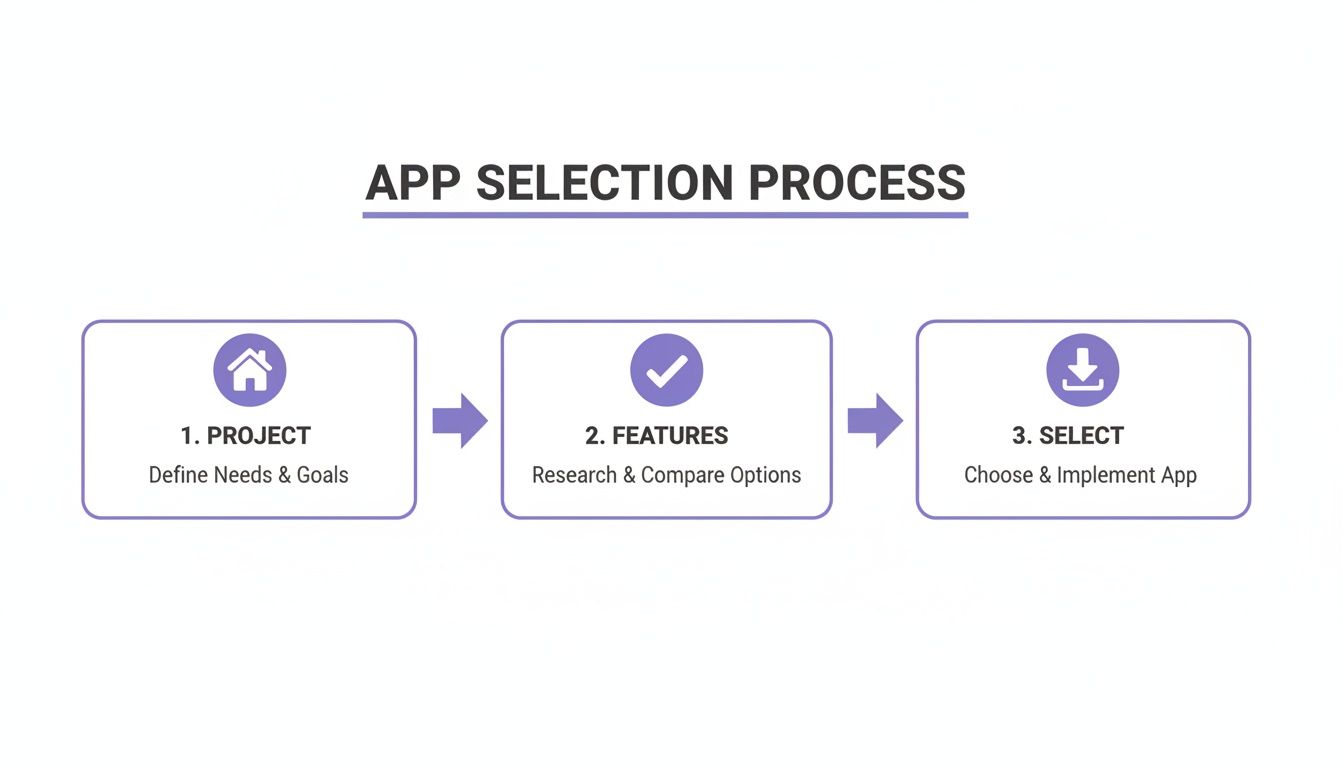
It’s a simple visual reminder that great projects begin with clear goals before you dive into the tech. This way, you ensure the tool you pick is the right one for the job.
From Virtual Preview to Contractor Handoff
After you’ve tweaked your 2D design, it's time to bring it to life in 3D. This is where the Augmented Reality (AR) feature comes in. You can project your new design right onto your actual yard.
Walk around your virtual patio. See how tall those trees will be when they’re fully grown. Get a real feel for the scale and placement of everything. This step is a game-changer because it helps you catch potential issues and eliminates surprises later on.
Finally, with your design locked in, the app helps you bridge the gap between the screen and the soil. You can export a detailed plan that includes measurements, a complete list of plants, and all the hardscape materials you chose.
After you’ve visualized the perfect layout, bringing in professional site planning services can be a great next step to assess the real-world practicalities. The shareable plan you create ensures your contractor knows exactly what you’re imagining, which leads to more accurate quotes and a much smoother build. It’s this digital-first approach that's helping drive massive growth in the $150 billion garden landscape design market.
Common Questions About Landscape Design Apps
Jumping into a new piece of technology can feel like a big step, especially when it’s tied to something as personal as your home. It’s completely normal to have questions before you dive in. We get it.
So, let's walk through some of the most common things people ask about landscape design apps. My goal here is to give you clear, straightforward answers and help you feel confident that these tools aren't just powerful, but genuinely useful for your next project.
Can I Really Get a Professional Design From a Photo?
Absolutely. This is where the magic really happens with modern landscape apps. They’re powered by sophisticated AI that has learned from thousands of professional landscape designs. When you upload a picture of your yard, the app doesn’t just see an image; it analyzes your space—things like sunlight, existing structures, and how much room you actually have to work with.
From that single photo, it generates designs that are not only beautiful but also practical for your specific yard. Now, it won't replace a landscape architect for a massive, multi-level project with complex drainage issues. But for the vast majority of homeowners, it delivers professional-grade concepts that serve as a fantastic starting point. This feature alone can save you a bundle on initial design fees. The key is how you apply AI Landscape Design to visualize your ideas using photos of your own yard, transforming a simple snapshot into a wellspring of inspiration.
Are These Apps Hard for Beginners to Use?
Not at all. In fact, the best ones are designed from the ground up for people with zero design experience. The whole point is to make the process intuitive and, frankly, fun.
It usually boils down to a few simple steps: snap a photo, tap a button to generate some ideas, and swipe through the options. Features like drag-and-drop interfaces for adding plants or swapping out patio materials feel more like playing a creative game than tackling a technical chore. App developers know their main audience is everyday homeowners, so making it easy to use is always priority number one.
How Accurate Are the Plant and Material Libraries?
This is a crucial feature that separates a good app from a great one. The leading apps put a ton of effort into building out extensive and geographically smart libraries.
Plant Libraries: You’ll find a huge range of plants, often sortable by your climate zone, sun exposure needs, and water requirements. This is a game-changer because it guides you toward plants that will actually thrive in your garden, helping you avoid costly mistakes.
Material Libraries: The collections for things like pavers, decking, and fences are based on real-world products. The visuals are designed to be incredibly realistic, so you can see how different textures and colors will actually look next to your home's exterior.
A quick pro tip: While the digital visuals are spot-on, it’s always a good idea to get physical samples of materials like pavers or wood from a local supplier before you commit. This just makes sure the color and texture are exactly what you expect in the real world.
How Does an App Help Me Work With a Contractor?
This might be one of the single biggest practical benefits. An app creates a crystal-clear visual plan that bridges the communication gap between you and your contractor. If you want to go deeper on this, our guide on whether there is an app for garden design has even more on the topic.
Instead of trying to describe your vision with words—"I want a kind of rustic-modern feel with flowy plants..."—you can just show them. You can hand over AR views, specific plant lists, your exact material choices, and the app's measurements. This gets everyone on the same page from day one, which means more accurate quotes, a smoother project, and a final result that actually matches the dream you had in your head.
Ready to stop dreaming and start designing? With DreamzAR, you can transform a single photo of your yard into stunning, professional landscape concepts in seconds.